

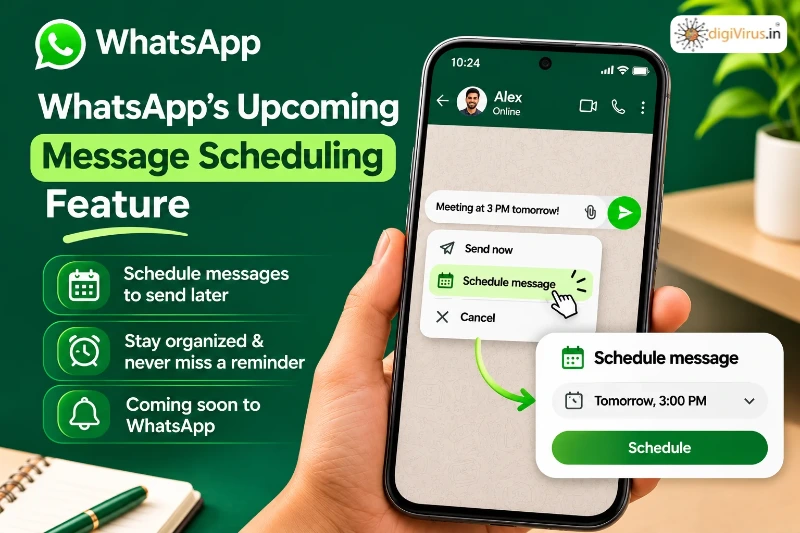
WhatsApp’s Upcoming Message Scheduling Feature
Whether users use messaging apps to manage professional interactions, stay in touch with friends, or engage with clients, they have become an essential component of daily communication. WhatsApp keeps adding features that improve the usefulness and convenience of texting. Message scheduling, which is anticipated to enable users to prepare a message and select when it should be sent, is one feature garnering interest.
Nowadays, a lot of individuals rely on third-party apps, alarms, or reminders to help them recall crucial messages. By enabling users to schedule their talks ahead of time, an integrated scheduling feature could make this process easier. Additionally, it might alter how people and companies handle their everyday communications.
What Is WhatsApp’s Message Scheduling Feature?
With WhatsApp’s message scheduling feature, users may write a message, choose a future day and time, and have it delivered automatically. Users can prepare their messages whenever it is convenient, rather than waiting for the ideal time to hit the send button.
According to reports about WhatsApp beta testing WhatsApp users can schedule messages from ten minutes, up to two weeks ahead. The schedule feature works in both one‑to‑one chats and group chats. WhatsApp also lets you schedule text, photos, videos and links. You might need to schedule each media file one at a time.
How Will the Message Scheduling Feature Work?
The process is expected to be straightforward, without requiring users to install additional applications or depend on external scheduling tools.
Here is how users can schedule a message:
- Open WhatsApp and select an individual or group conversation.
- Type the message you want to send.
- Press and hold the send button to access the scheduling option.
- Select your preferred date and delivery time.
- Review the details and confirm the scheduled message.
Once scheduled, the message will remain in a dedicated section within the chat information screen. Users will also be able to review or delete scheduled messages before their delivery time.
This gives users greater control over their conversations and reduces the chances of forgetting important messages.
Key Benefits of WhatsApp Message Scheduling
The upcoming feature could make everyday communication easier in several ways.
1. Never Miss Important Messages
People often forget to send birthday wishes, appointment reminders, meeting updates, or other important messages because of busy schedules. Scheduling will allow them to prepare these messages in advance and send them at the appropriate time.
2. Better Work and Personal Communication
Professionals can prepare work-related updates, reminders, and follow-up messages without needing to send everything immediately. Similarly, individuals can organise personal conversations more effectively.
3. Improved Group Communication
Group administrators and members can use scheduled messages to share event reminders, meeting information, and important announcements at suitable times. This can make group communication more organised.
4. Reduced Dependence on Third-Party Applications
Some users currently depend on external applications or workarounds to schedule their WhatsApp messages. A built-in option could make the process simpler and more convenient while keeping communication within the platform.
How Can This Feature Help Businesses?
For businesses timing matters a lot when talking to customers. Many companies use WhatsApp to send news answer questions give reminders and stay connected, with their customers.
With message scheduling, business owners and marketing teams can plan customer follow-ups, advertising messages, service alerts and event details ahead of time. This helps them stay organized. Send the right message at the right moment.
For example a school or college could set up reminder messages for admissions while an online shop could get ready to send messages about orders or upcoming sales. A company that offers services could also plan reminders for appointments without having to send each message by hand.
However companies need to keep in mind that scheduled messages are not a substitute, for a marketing automation system. They can help with communication but big marketing campaigns might still need special business tools.
When Will WhatsApp Launch the Feature for Everyone?
Now in November 2026 WhatsApp is trying out its scheduled messaging feature with a few beta testers on Android and iOS. This feature shows up in Android beta version 2.26.40.7 and in iOS TestFlight version 26.42.10.19. WhatsApp has not yet said when the feature will be available to everyone. Whether a user can see the scheduling option depends on the phone and the account so not all people will get it away.
Frequently Asked Questions
1. Can WhatsApp messages be scheduled automatically?
WhatsApp is testing a built-in feature that will allow users to select a future delivery time for their messages.
2. How far in advance can users schedule messages?
Current beta reports indicate a scheduling window of approximately 10 minutes to two weeks.
3. Can users schedule messages in WhatsApp groups?
Yes, the feature supports group conversations. However, only members who were part of the group when the message was scheduled will receive it.
4. Can scheduled messages be deleted before delivery?
Yes, users can view and delete scheduled messages before their selected delivery time.
5. Is the feature available to everyone?
No. It is currently being tested with selected beta users, and a public release date has not been confirmed.
Conclusion
WhatsApps new message scheduling feature is an addition that can make personal and professional communication easier to manage. From sending birthday greetings and meeting reminders to sharing business updates and following up with customers users will have control over when their messages are sent.
Even though the feature is still being tested its arrival shows that WhatsApp is working hard to make daily messaging simpler. When it is available for everyone it could be a tool for people who want to handle their messages without needing to be online, at the exact time a message should go out.